Google Upgrades Chrome Address Bar with Built-In AI Mode
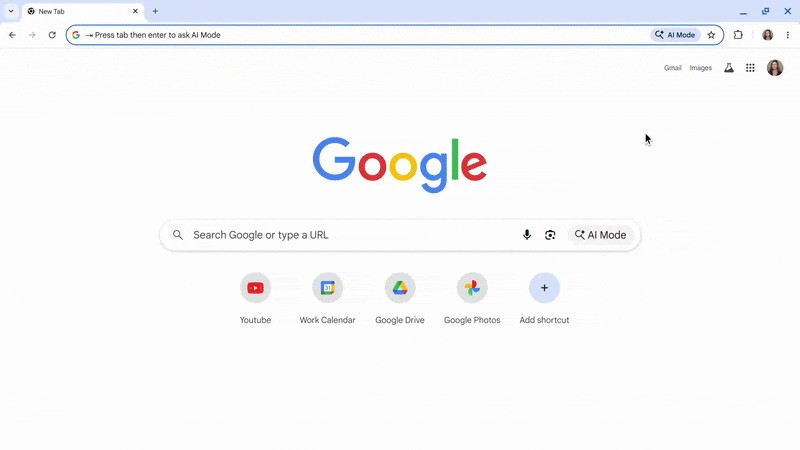
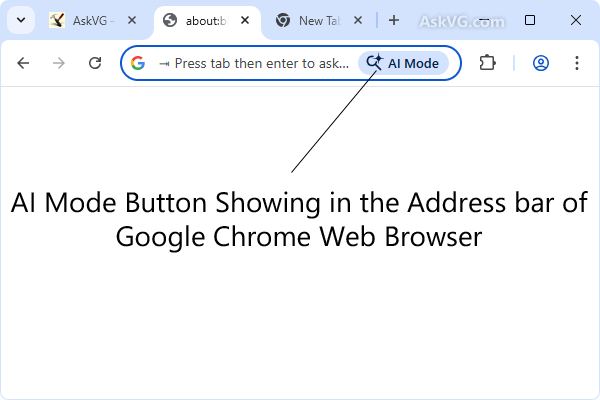
Google continues to push AI deeper into everyday browsing. This time, the company upgraded Chrome’s address bar. The Omnibox now works as a full AI command box.
Previously, users clicked a separate button to access AI chat. Now, AI Mode sits directly inside the address bar. As a result, users can work faster without switching screens.
AI Commands Now Live Inside the Omnibox
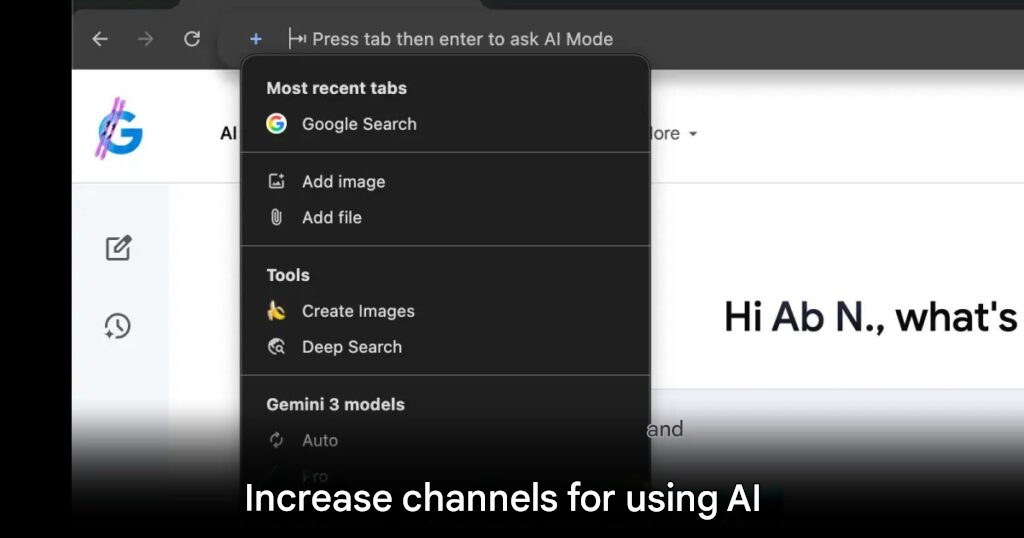
The most visible change appears on the left side of the address bar. Google added a plus icon similar to the AI Mode page on google.com.
From this menu, users can upload images, attach files, or generate visuals. In addition, they can access Deep Search tools and switch between Gemini models. Because everything lives in one place, workflow becomes smoother.
Chrome Can Read Your Open Tabs
One of the most useful additions is tab awareness. The new “Most recent tabs” feature lets users share open pages directly with AI Mode.
This makes summarizing multiple pages easy. Users can also ask specific questions about content already on screen. Therefore, copying and pasting text is no longer necessary.
Clear Visual Feedback for AI Mode
When AI Mode activates, the address bar expands into a modern prompt box. It displays hints like “Ask anything” or “Research anything.”
At the same time, a soft four-color glow surrounds the box. This visual cue confirms that AI is active and ready to respond.
Available Now on Desktop Chrome
Google started rolling out this update in Chrome version 145 on desktop. At the same time, the AI Mode webpage gained a new Canvas tool. This tool allows users to refine AI responses with more control.
Together, these updates show Google’s intent. AI is no longer an add-on. Instead, it becomes part of normal browsing.
Optional for Users Who Prefer a Clean UI
Not everyone wants AI shortcuts visible at all times. Fortunately, Google allows users to disable them.
By right-clicking the address bar and unchecking “Always Show AI Mode Shortcuts,” Chrome returns to its classic look. However, for users who rely on AI daily, this feature can save significant time.
With this update, Google Chrome turns the address bar into a productivity hub. It also strengthens integration with Gemini, making AI a natural part of web navigation.